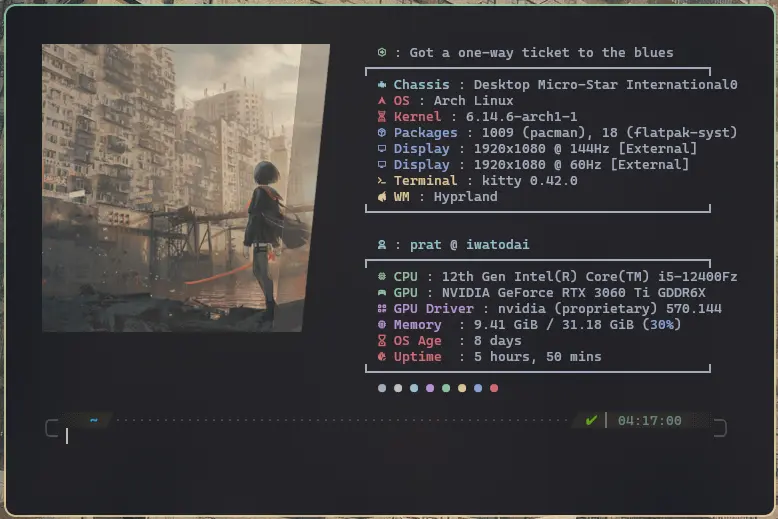
October 2025 is the end of Windows 10. And the beginning of the Year of the Linux desktop.
Microsoft has announced that Windows 10 support is ending on October 14, 2025.
“As a reminder, Windows 10 will reach the end of support on October 14, 2025. At this point technical assistance and software updates will no longer be provided. If you have devices running Windows 10, we recommend upgrading them to a more current, in-service, and supported Windows release. If devices do not meet the technical requirements to run a more current release of Windows, we recommend that you replace the device with one that supports Windows 11.”
Well, there it is. The nail in the coffin. The deathblow. The endgame. Jump ship. Blasters off. Moving over to Windows 11, permanently. Not happening. With the unecessary additions to the already horrendous UI/UX known to mankind? Nuh-uh.
Do I have the option to turn them off? Yes. Do I have the option of “debloating” Windows, stripping it down to the bare minimum that the machine needs to operate? 100%. But that comes with risks and breaking the 3rd Control Panel UI that’s hidden in the Windows 95 code in a Windows 10 Pro installation. I want an operating system that does what I want it do; not the other way around. And I do not want Bollywood news on the lockscreen. No AI chat bots either.
Alternative to Windows is obviously, Mac, right? It’s choosing the worse of the two poisons: the predatory tactics of walling a 128 GB SSD upgrade or even a measly 16 GB of RAM behind two person’s salary is pure, plain evil. The “Ecosystem” is incredibly claustrophobic and limiting, too.
Having tinkered with varying levels of portability and sophistication of Puppy Linux, Xubuntu, Kubuntu, Linux Mint (which remains a personal favorite) and the odd Elementary OS – it is only befitting to attempt the last boss that is Arch Linux (now superceded by the recently made aware of – NixOS). Linux has been sort of a Deus ex Machina; bringing life to aging hardware. “Aging” only in terms of Microsoft’s whims of pushing out updates that invalidate old hardware by padding software with telemetry and solutions to problems they create themselves.
Now that I have experienced various desktop environments that Linux offers, namely XFCE, KDE, Cinnamon and MATE, I think Wayland has something special cooking in this space. While not technically a desktop environment but rather a window manager– Wayland, and more specifically, “Hyprland” (built on top of Wayland) has been garnering more support than ever since its inception in 2022. It is also evident from the fact that KDE, one of the household names in desktop environments has permanently switched to Wayland from KDE Plasma 6. The Linux community is eagerly watching it grow into a mainstay in the Linux desktop experience.
As of drafting this essay, it has been 8 days of using Arch Linux and Windows has not been missed. Though I’ll admit that I’ve needed it for updating firmware on a pair of earbuds and some applications that have not yet been transitioned over. I want to document that going forward whilst backtracking how I got to dailying this environment. Well, I just need to lock in, man.